A few days ago we launched store themes on HalaOrders with the Nile theme, and we said it was only the first one. Today we have a theme gallery with themes that look completely different, we add new themes to it regularly, and you can try each of them as a working store before you choose. And if you don't find the look you have in mind, send us a link to any site you like and we will make you a theme just the way you want.
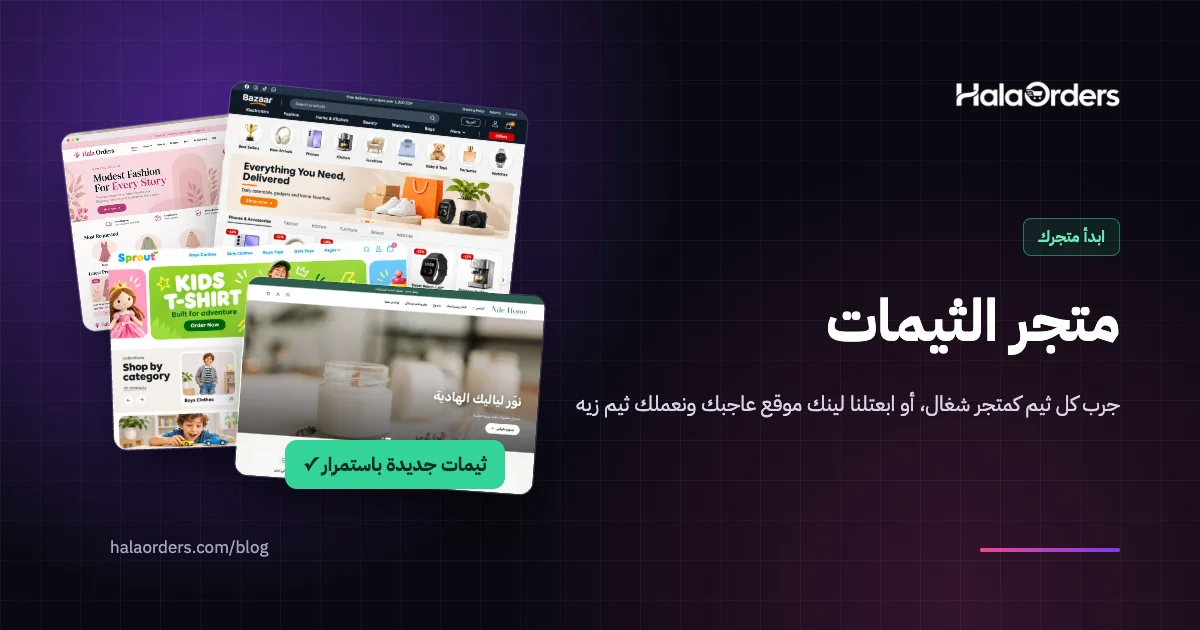
In short: open the Themes page on our website and you will find themes such as Bisum, Nile, Bazaar and Sprout, and the list grows with every new theme we release. Each theme opens as a demo store filled with products that suit it, so you can browse it and try the cart exactly like a customer. If you already have a store, you can change your theme any time from Dashboard → Store design → Themes, preview any theme on your real store where only you can see it, and your products and orders are not affected. In other words, you can try your store in several looks until you find the one that fits you and your customers.
Why try more than one look for your store?
Customers form an impression of your store much faster than you think. In a study at Carleton University in Canada, people saw web pages for only 50 milliseconds, and how they rated the look was very close to how they rated it after seeing it for longer. Before a customer reads a single product name, they have already decided whether they like the store.
In another study published by Google Research, that judgement already appeared after 17 milliseconds, and the sites people liked most had two things together: they were simple, and they looked like what people expect from that kind of site. And an earlier Stanford study of 2,684 people found that 46.1% of them judged a site's credibility partly by its design.
For a store owner, this means one important thing: no single look is best for every store. A toy shop's customers expect bright colours and rounded cards, a store with electronics and home goods is expected to have a big search bar, many departments and a shelf of products for each, and a decor store's customers want large photos and calm space. The only way to know which look works for your store is to try.
What is the theme gallery?
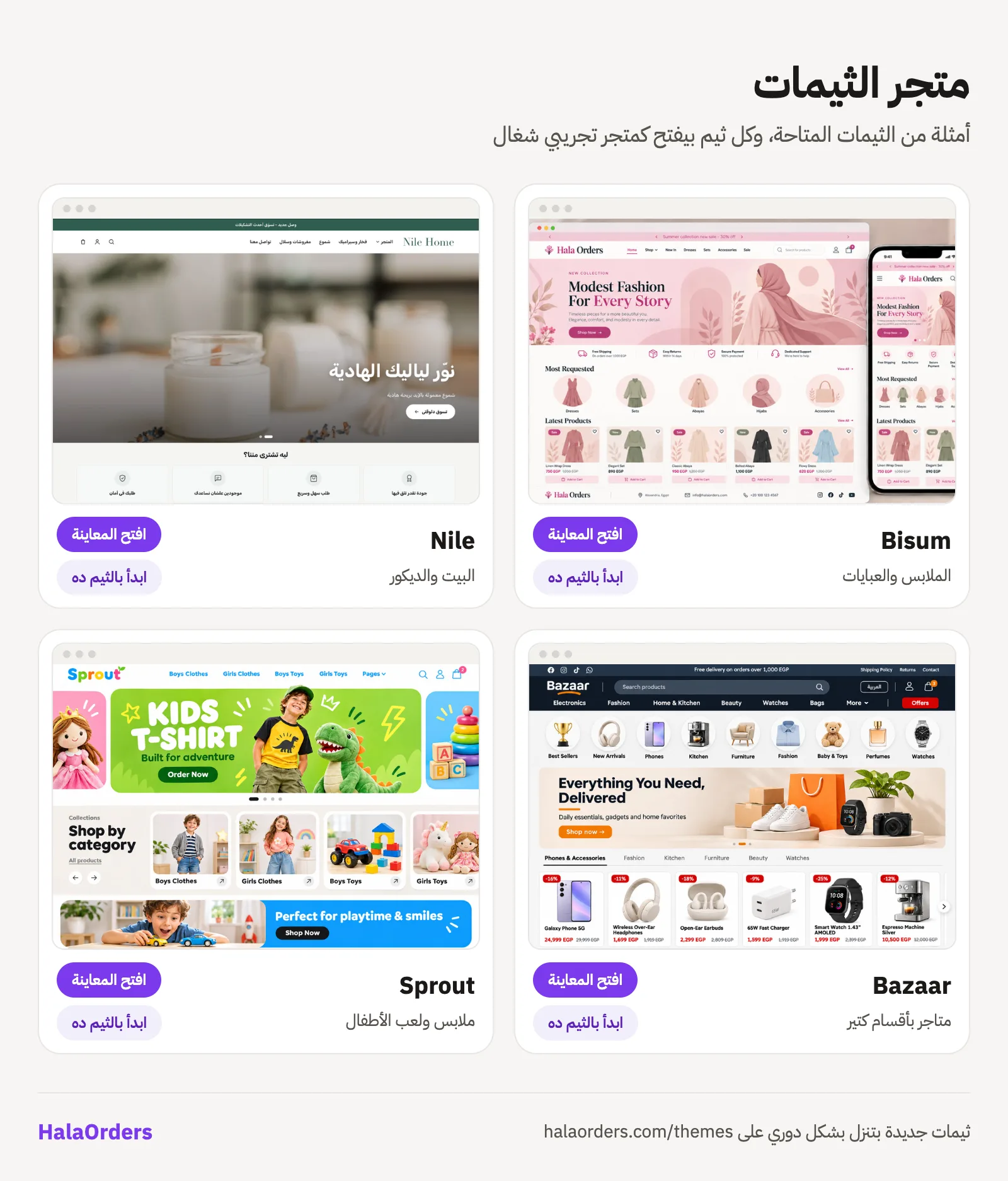
The theme gallery is a page on the HalaOrders website that shows every theme offered to stores. Each theme has:
- A picture and a description in Arabic and English of what makes it different and which stores it suits.
- An "Open the demo" button that opens a complete demo store with that theme, on its own address.
- A "Start with this theme" button that takes you to the sign-up page with the theme already picked, so your new store opens with that look straight away.
Example themes: which one suits your store?
These are the themes available as we write this, as examples rather than a complete list, because we add new themes regularly, so check the Themes page for the latest:
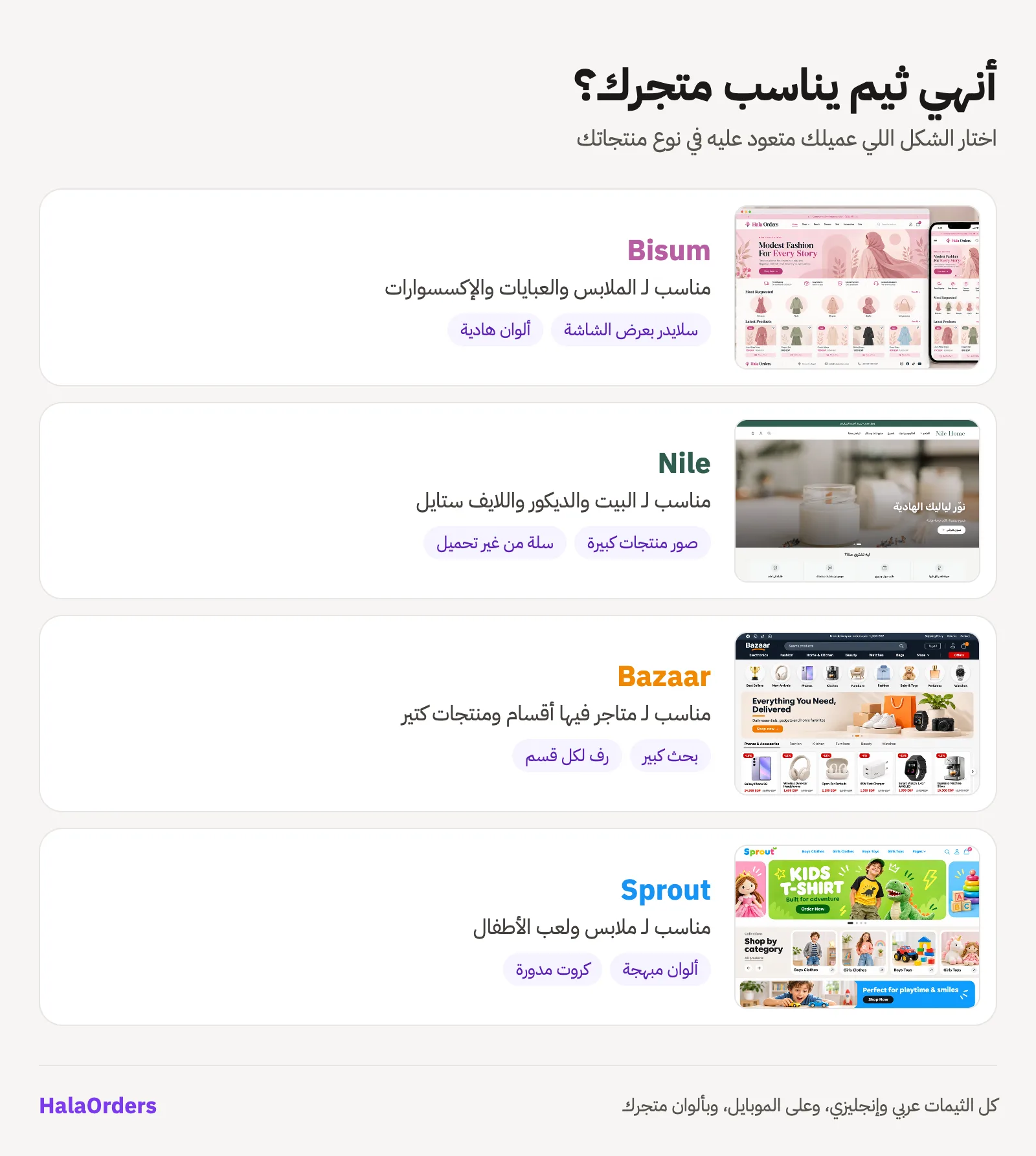
- Bisum: the default theme every store starts with. Soft colours, a full-width slider and a product layout that suits clothes, abayas and accessories.
- Nile: clean and fast, with a large image at the top, category tiles and large product photos. It suits home, decor and lifestyle brands, and stores with beautiful product photos they want to show. Adding to the cart happens without reloading the page.
- Bazaar: a marketplace look. A dark header with a big search bar, round category icons, a shelf of products for every category on the home page, and filters by category, brand and price shown as tags. It is made for stores with many departments and products.
- Sprout: bright and made for kids' clothes and toys. A slider that peeks at the next slide, colourful banners, a large spotlight product for each category, and soft rounded cards.
All our themes work in Arabic and English with the right direction for each language, are built for phones, take your store's colours, logo and fonts from its settings, and support dark mode.
Try before you choose: the demo store
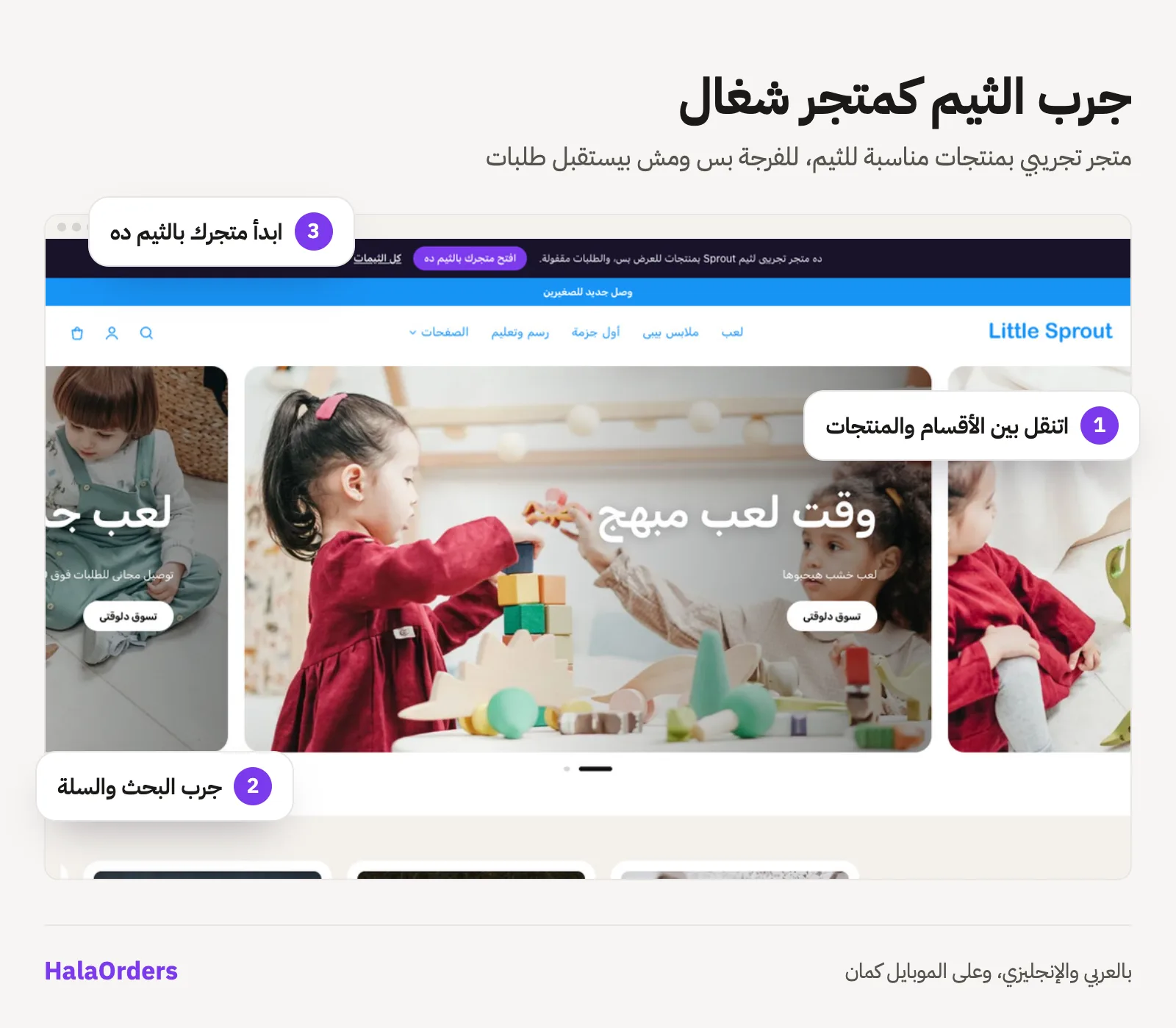
A theme's picture gives you an idea, but it is not the same as walking through the store yourself. That is why every theme in the gallery has a real demo store full of products that suit it: toys and baby clothes in Sprout, electronics, home goods and beauty in Bazaar, ceramics, candles and textiles in Nile, and dresses, abayas and bags in Bisum.
In a demo store you can:
- Move between categories and open any product page to see its photos, price and description.
- Search for a product and use the filters.
- Add to the cart and see the cart and the checkout page.
- Switch between Arabic and English and try it on your phone.
A demo store is only for looking around: it takes no orders, sign-ups or messages, a bar at the top reminds you it is a demo, and it has a "Start your store with this theme" button.
Change your store's look any time
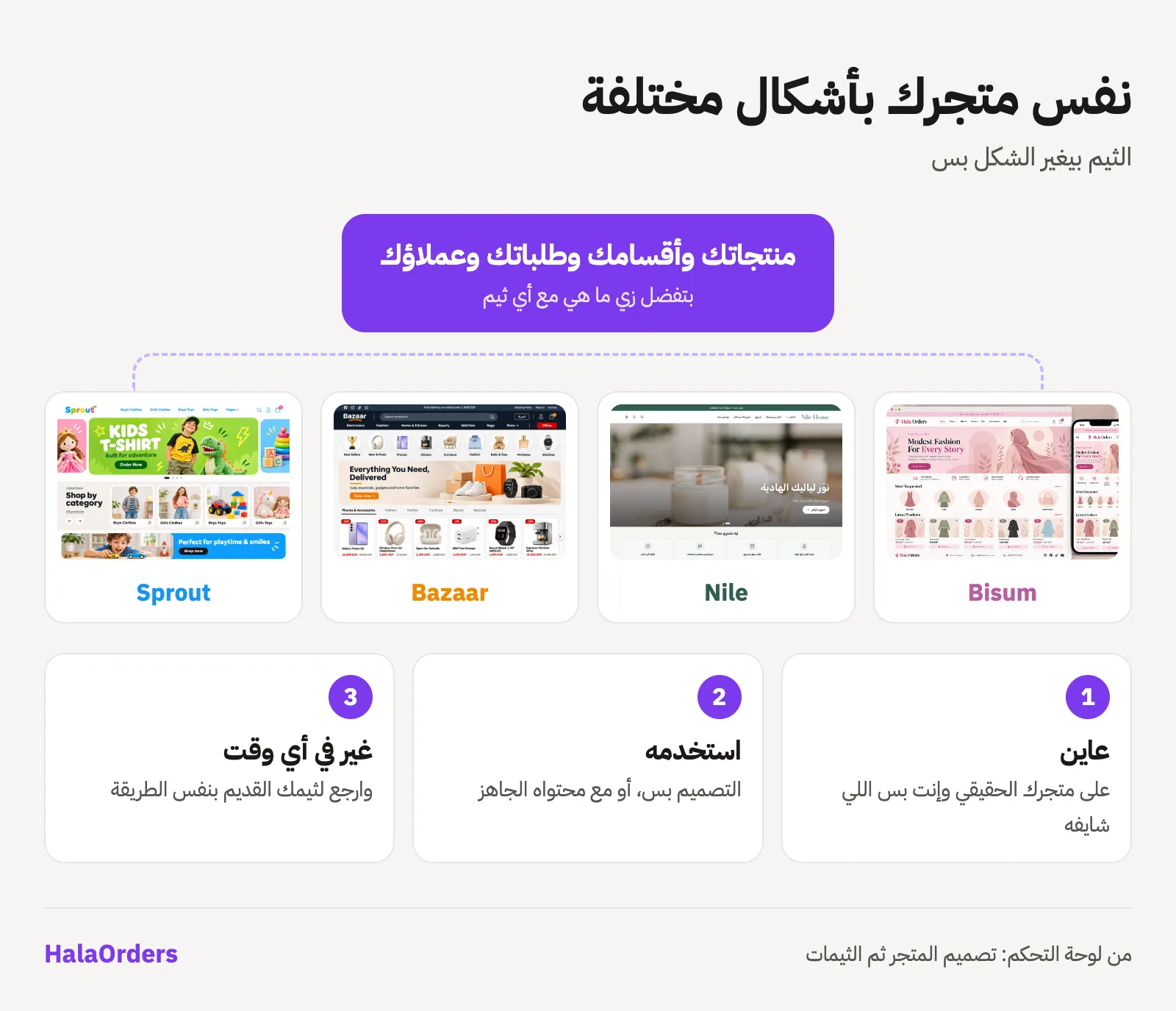
A theme is not a decision you make once. If you have a store on HalaOrders:
- In your dashboard, open Store design → Themes.
- Press Preview on any theme. Your real store opens with the new theme, only you can see it, and your customers still see your current theme.
- If you like it, choose Use design only to change the look while your settings stay as they are, or Use with its content so the theme adds its ready-made announcement bar, sections and banners, after you see every change before and after, with a one-click undo.
In every case your products, categories, orders, customers and checkout are not affected by the theme. The theme only changes the look, so you can go back to your old theme any time the same way. We explained these steps in detail in New themes for your store.
How do you find the best look for your store?
Changing the theme is easy, so use that and try in an organised way:
- Start from what you sell. Pick the theme whose look your customers expect from this kind of store; as Google's research found, a familiar look wins people over faster.
- Look at your product photos. If your photos are large and beautiful, themes that make photos big, like Nile, will show them off. If you have many products in many categories, Bazaar organises them better.
- The number of categories matters. A store with three categories is not a store with twenty. A theme with a shelf for every category needs categories with enough products.
- Preview on your phone. Many customers visit your store from their phones, so open the preview on your phone before you decide.
- Set your colours and fonts. Every theme takes your colours from your settings, so try the theme with your store's identity, not its default colours.
- Change and compare. Use a theme for a while and follow your visits and orders from your dashboard; if another look feels better, go back or try another one.
Like the look of a website? We will make you a theme like it
If you have seen a website or store whose look you like and want your store to feel the same, send us its link from the Contact us page and tell us what you like about it: the colours, the home page layout, the product page, or any detail. We will make you a theme for your store just the way you want, working in Arabic and English, on phones, and with your store's colours and logo like every other theme.
New themes, regularly
The themes in this article are only examples. We release new themes regularly, and the theme system was built from the beginning to take them easily, and every new theme comes with its own demo store, so it appears in the theme gallery and you can try it straight away. As we said before, our next step is to open the door for designers to publish their themes with us, so every store has even more choices.
Frequently asked questions
Can I change my store's theme more than once?
Yes, any time and as often as you like. From Dashboard → Store design → Themes, choose the theme you want, and go back to the old one the same way.
If I change the theme, will anything happen to my products and orders?
No. The theme only changes the look. Products, categories, orders, customers, settings and checkout all stay as they are.
Is the demo store a real store?
It is a working store with the same theme and pages, but its products are only for display. It takes no orders or account sign-ups, and it exists so you can see the theme with your own eyes before you choose.
If I open a store with a theme from the gallery, will I get the demo products?
No. Your store starts with the theme you chose, but empty, and you fill it with your own products. The demo products only live in the demo store.
Do the themes cost money?
Every theme in the theme gallery is available to every store at no extra cost. If you want a theme made just for your store, contact us and we will agree on the details.
I can't find the look I want. What can I do?
Send us a link to any site you like from the Contact us page, tell us what you like about it, and we will make you a theme just the way you want.
Will customers see the theme while I preview it on my store?
No. The preview works only for you while you are signed in to the dashboard, and your customers keep seeing your current theme until you choose.
Sources
- Nature News, Web users judge sites in the blink of an eye: the study by Lindgaard and colleagues at Carleton University showing a site's look is judged within 50 milliseconds.
- Google Research, Users love simple and familiar designs: judgements of a site start within 17 milliseconds, and simple, familiar sites are liked more.
- Stanford Persuasive Technology Lab, Study: For Site Cred, Looks Matter: the share of people who judged a site's credibility by its design.