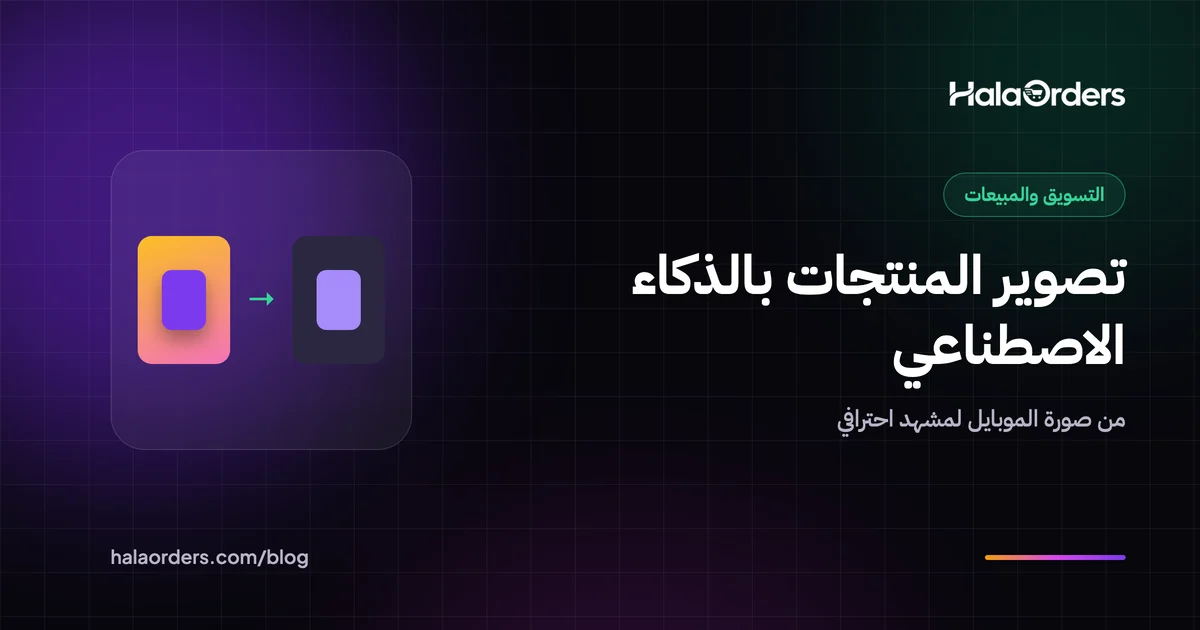
The photo you take on your phone on a bed or the kitchen table, and the photo you see at a big store: the difference between them isn't always the camera. It is the background, the lighting and the scene. And that is exactly what AI tools now do in minutes.
But there is a trap: if the tool "improves" the product so much that it no longer looks like what the customer will receive, you lose a return, a refused delivery and shipping paid both ways. In this article we explain AI product photography step by step, and when to use it and when to leave it.
In short: AI product photography means you photograph the product with your phone and let a tool like Photoroom, Pebblely or Claid.ai remove the background and build a professional scene or background around it. It saves the cost of a studio and takes minutes, but the product itself (its color, shape and details) must stay exactly as it is, or returns will go up.
What is AI product photography?
AI product photography is using tools that cut the product out of its original photo and generate a new background or scene around it (a marble table, a sunny morning, a dining table), or that improve the photo itself (sharpness, lighting, size). The product here is your real photo, and AI controls what surrounds it.
That is different from asking a tool to "draw me a product", because that generates a product that doesn't exist. You are selling a real product, so you need the first.
What are the best AI product photography tools?
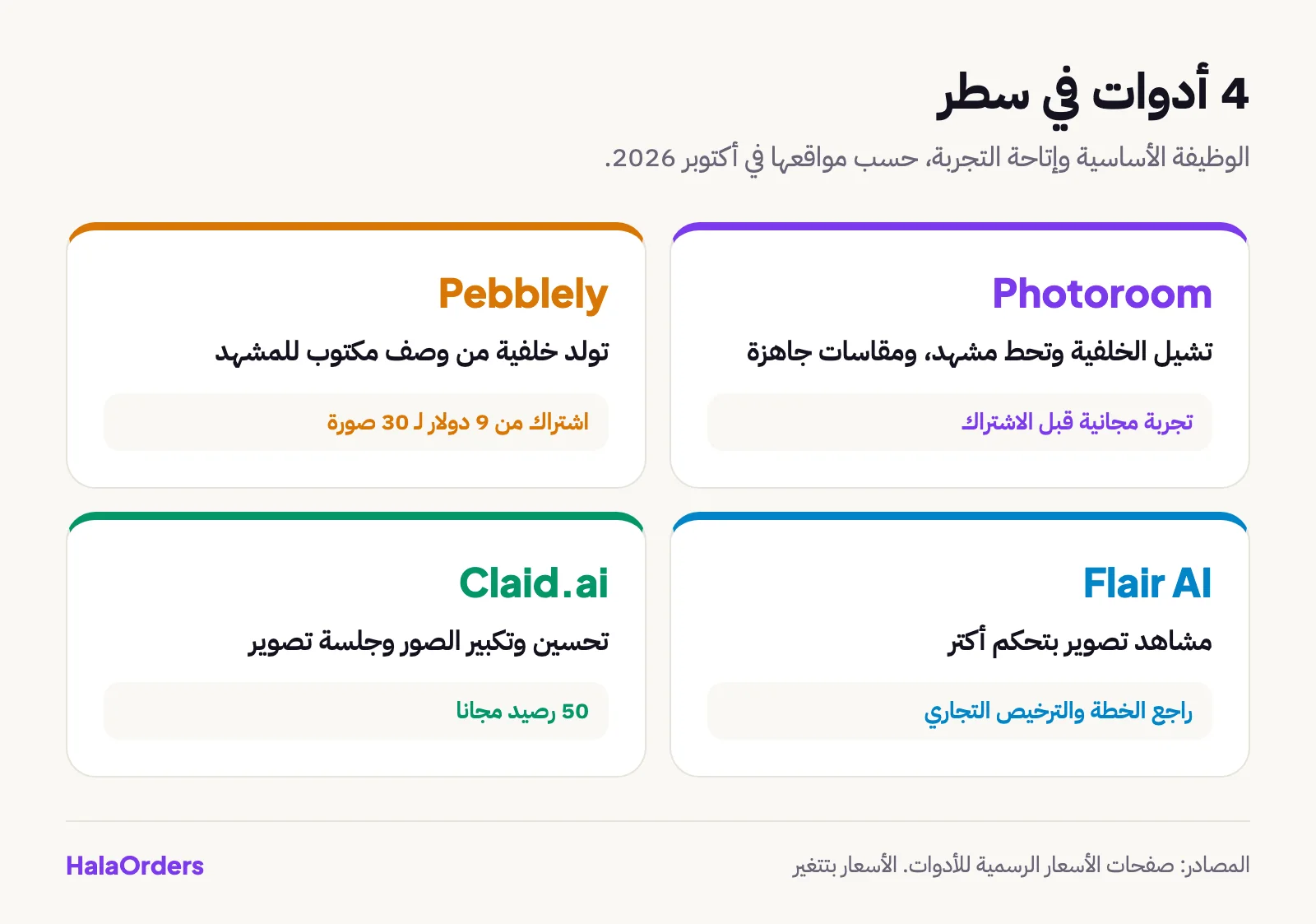
| Tool | What it does | Trial and pricing (according to its website in October 2026) |
|---|---|---|
| Photoroom | Removes the background, adds a background or scene, and prepares sizes for stores and social media | Offers a free trial before subscribing |
| Pebblely | You describe the scene in words and it generates a background around the product | A subscription starting at 9 dollars a month for 30 images |
| Flair AI | Builds photo scenes with more control over how the scene looks | Plans and limits change; check its website and commercial use terms |
| Claid.ai | Photo enhancement, upscaling and an AI photo shoot | A free plan with 50 credits |
A quick overview:
- Photoroom is the easiest starting point if you shoot on a phone. An app you can use straight away to get a white-background photo or a scene.
- Pebblely suits you if you want to try many backgrounds for the same product from a text description. You need to write the scene description (try English and Arabic and see which comes out cleaner).
- Flair AI if you want to control the details of the scene and create a consistent look for the brand. Check the commercial license on your plan before using the photos in an ad.
- Claid.ai is good if you have old, low-quality photos and want to raise their resolution or do a simple shoot.
Keep in mind: these prices and limits change, so the right move is to try the tool yourself on 3 products before subscribing. In the map of AI tools for e-commerce you will find the other tools.
How do I turn a phone photo into a professional product photo?
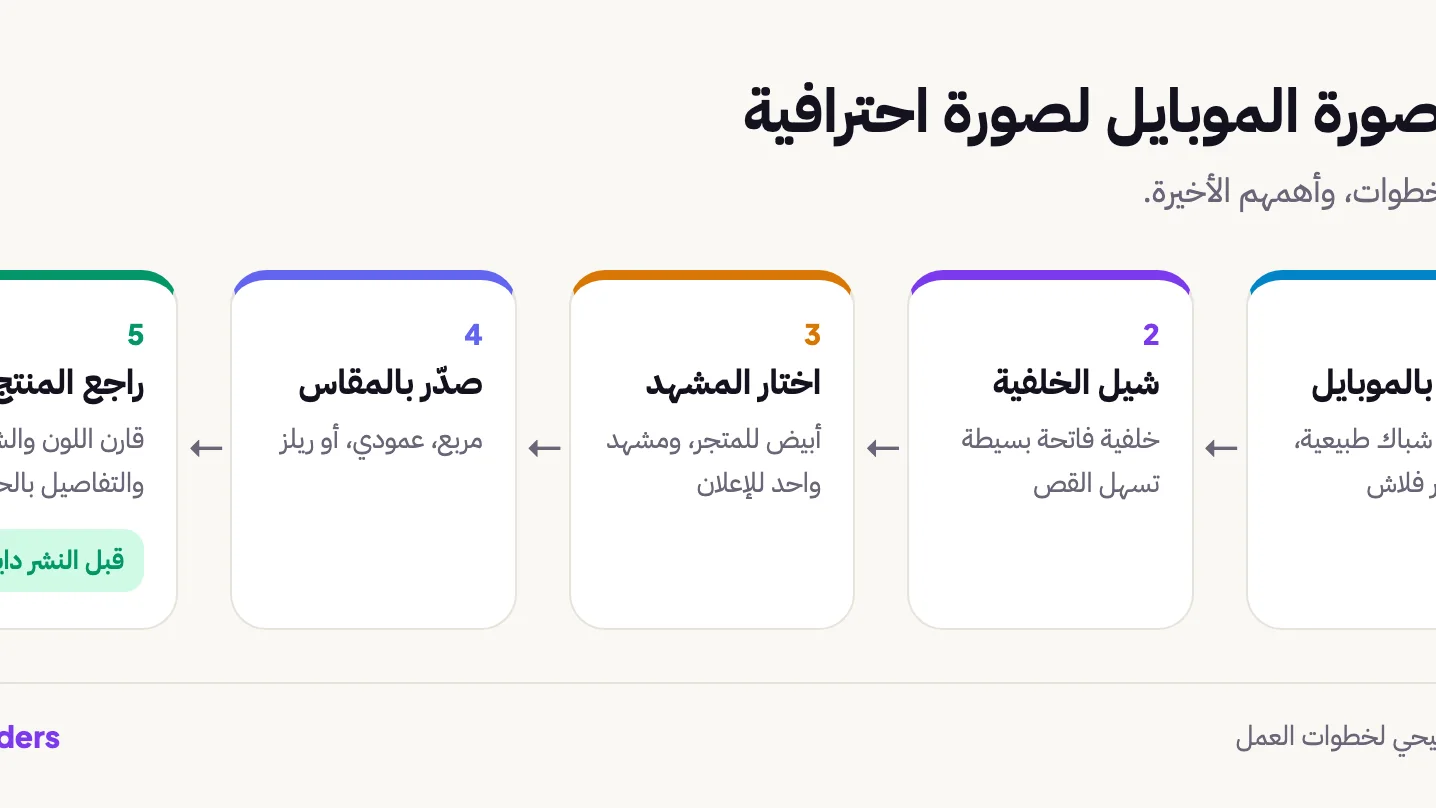
- Photograph the product in natural light. In front of a window during the day, without flash. Make sure the product is clear and fully in the frame.
- Choose a simple background. Light paper or fabric, so the tool cuts out the product without mistakes.
- Remove the background. All the tools above do this in one click.
- Choose the scene. Start with a white background for the store, then one scene for ads. Don't make 10 scenes.
- Check the product yourself. Compare the generated photo with the real product on the table: color, shape, logo, edges.
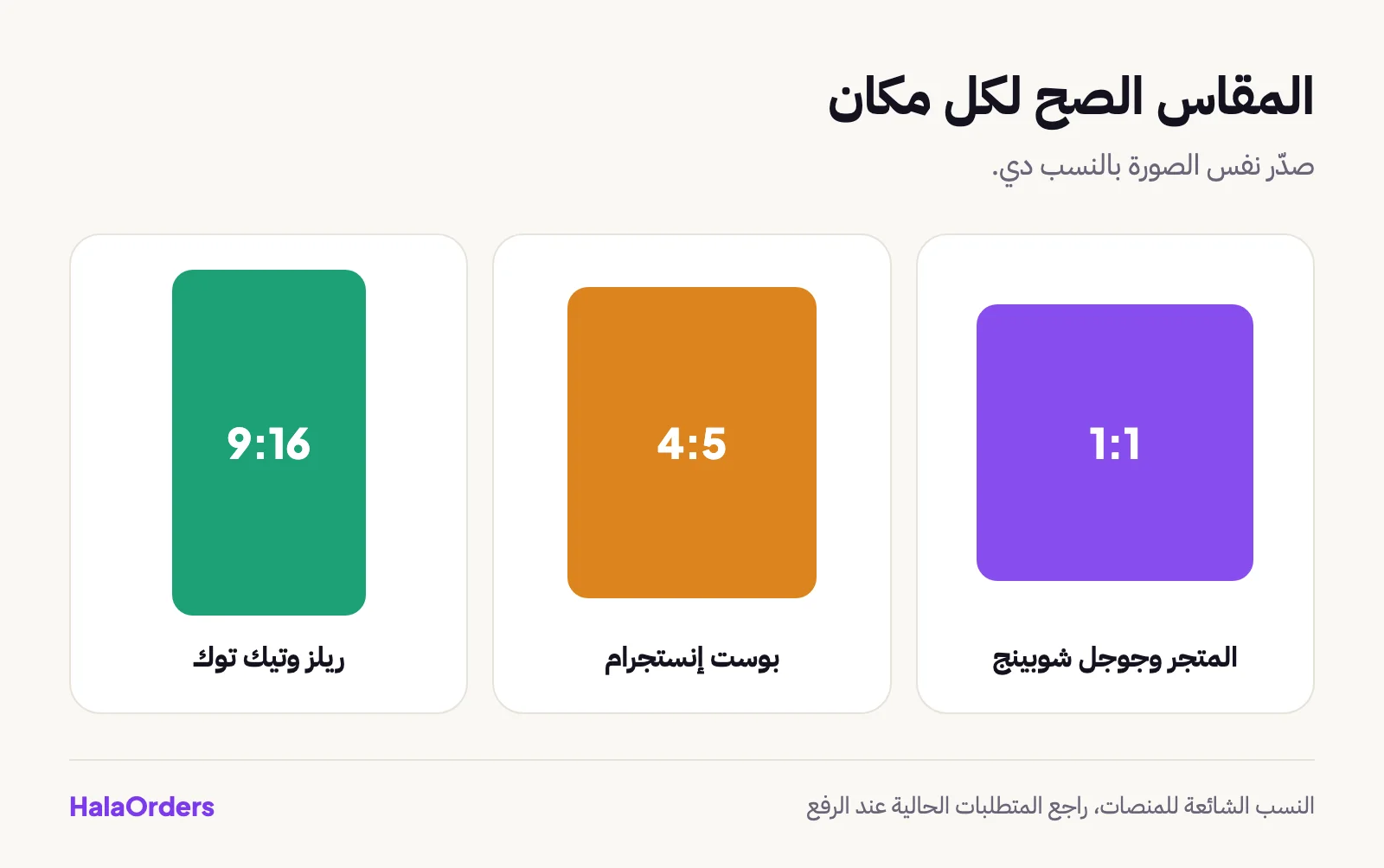
- Export at the right size. Square 1:1 for the store, vertical 4:5 for Instagram, and 9:16 for Reels and TikTok.
An example scene description for a brown leather handbag:
Brown leather handbag on a light marble table, soft morning window light,
a small plant in the background, clean minimal style, product centered
How many photos do I need for each product?
You don't need ten scenes. You need photos that answer the questions the customer will ask:
- A main photo on a white background for the store and Google Shopping.
- Two or three photos from different angles, including a close-up of the material or a detail.
- A photo that shows the real size: the product in someone's hand or next to something familiar, so the customer knows how big it is.
- One AI scene for the ad or social media post.
Example: a dress at 650 EGP. Photograph the dress on a hanger in window light, let the tool remove the background and add a white background for the store, and one scene for an Instagram ad. Add a real photo on a model or a close-up of the fabric so the customer sees the real color. That reduces surprises at delivery.
To avoid common mistakes: photograph the product flat and unwrinkled, clean it before shooting, and avoid flash because it washes out colors. The tools handle a clear photo better, and every lighting mistake in the original shows more after editing.
When does AI hurt my product photos?
The tool builds the background, but sometimes it changes things in the product itself without telling you: it lightens the color a little, smooths the fabric, removes a small detail. And an Egyptian customer who receives something different from what they saw refuses the delivery at the door, and you pay shipping both ways.
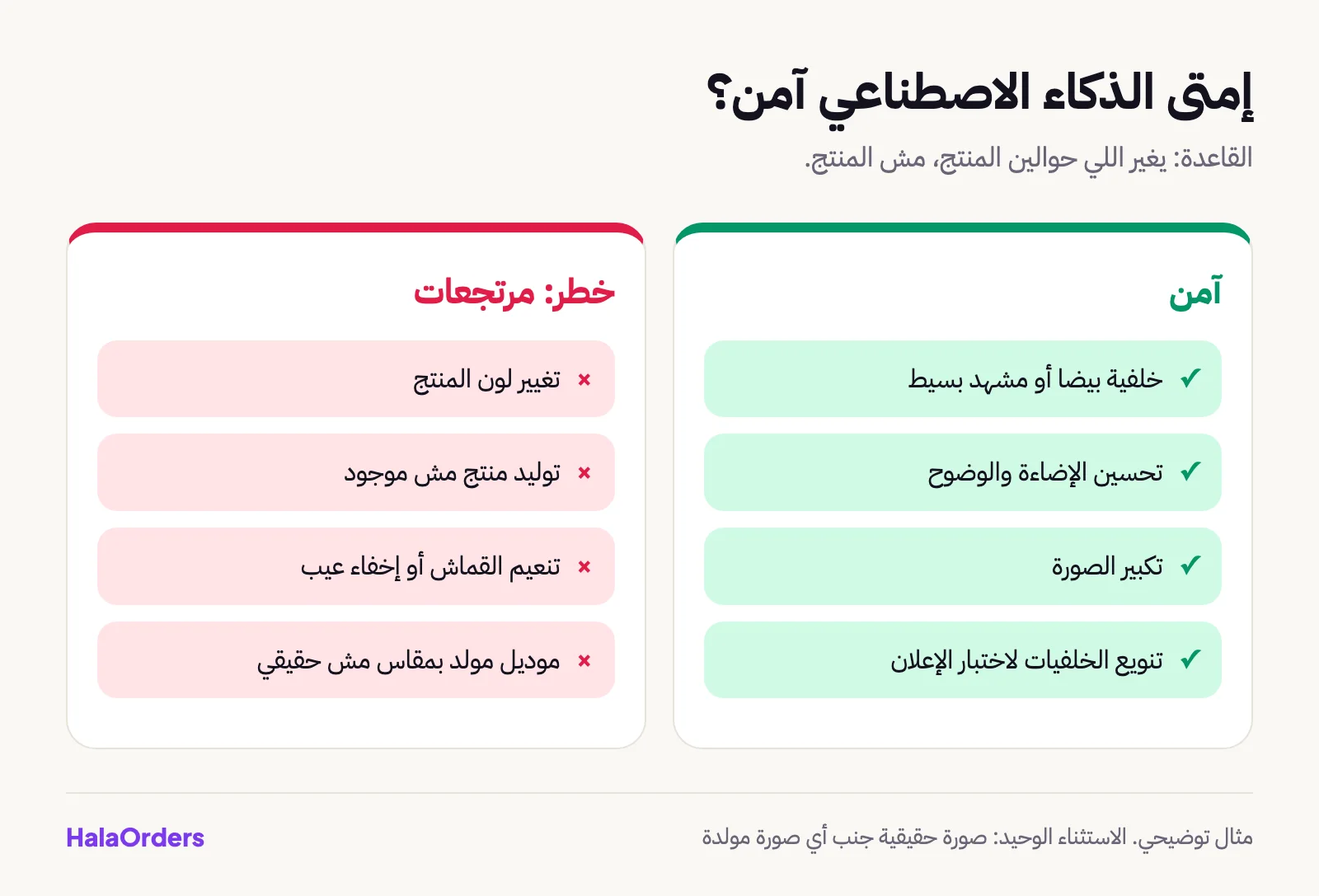
- Safe: a white background, a simple scene behind the product, improved lighting, upscaling the photo.
- Risky: changing the product's color, generating a product from scratch, changing the fabric or material, hiding a defect, showing a size that isn't real on a generated model.
- A fixed rule: put a real photo of the product on the page next to the generated one, especially for clothing, accessories and products where color matters.
How do I choose the right tool for my store?
Ask yourself these three questions:
- How many products do I have? For 10 products, any tool with a free trial is enough. For 200 products, work out the credits you will need before subscribing, because the tools charge per image.
- Must the product look exactly like reality? Clothing, shoes and accessories need more care than a product like a perfume box or a mug.
- Will I use the photos in ads? Check the commercial license on your plan before you run them.
And try the same photo on two tools and compare the results before you decide.
Does Meta label generated images?
Yes, in many cases. In April 2024 Meta announced it would add a "Made with AI" label when it detects industry signals of AI in the image or when you disclose it. In July 2024 it changed the name to "AI info" after photographers complained that real, lightly edited photos were labeled by mistake.
So if your ad image gets labeled, it isn't a penalty, but the customer will see it. If trust matters for your product, say yourself that the background was made with AI, and keep the product itself real.
Are these photos suitable for Facebook and TikTok ads?
Yes, it is actually one of the best uses, because ads need many versions of the same photo with different backgrounds to test which performs best. Meta itself has tools in Ads Manager that generate backgrounds for product photos according to its developer blog, but what is available changes over time.
In ads especially, though: the first photo is what sells. Use a real, clear product photo, and let AI work on the background only. And test several versions through landing pages and A/B testing.
How does HalaOrders help?
HalaOrders is an Egyptian platform for building online stores and landing pages. It has no AI image generation features, so you prepare your photos with any of the tools above, and then the platform takes care of the rest:
- Photos are resized and converted to WebP automatically, with thumbnails, so the store opens faster on mobile. Read store speed and Core Web Vitals.
- Products with variants (colors and sizes) and stock quantities, so you can add a photo for each color.
- Landing pages with ready templates for your ads, with A/B testing of up to four versions.
- Meta Pixel and TikTok Pixel connections to measure how the photos perform in ads.
- Google Merchant Center to show your products in Google Shopping, a place where photos make a real difference.
See also the solutions for fashion stores and home decor.
The bottom line
AI makes your product photos look like a studio instead of paying thousands of pounds, on one condition: the product must stay true to reality. Shoot on your phone, let the tool change the background only, check the color and details yourself, and always put a real photo next to the generated one.
Frequently asked questions
What is the best AI product photography tool?
There isn't one best for everyone. Photoroom is the easiest start from a phone, Pebblely generates backgrounds from a description, Claid.ai improves photo quality and has 50 free credits, and Flair AI gives more control over the scene. Try 3 products before subscribing.
Can I use AI photos in Facebook ads?
You can, and it is best to let the tool change only the background and keep the product photo real. Meta adds an "AI info" label in many cases to generated or edited content, so make sure the photo doesn't mislead the customer about color or shape.
Do AI photos increase returns?
They can, if the photo changed the product's color or material or hid a defect. The customer receives something different and refuses it. If the tool only changes the background and the product looks like reality, the risk is low.
Do I need a commercial license for generated photos?
Yes, check your plan's terms. Cheap or free plans sometimes don't include a full commercial license. Read the pricing page and terms of use on the tool's website before using the photos in an ad or a store.
How should I photograph the product with my phone so the tool works well?
Shoot in front of a window in natural light without flash, on a simple light background, with the product clear and fully in the frame. The clearer the original photo, the cleaner the background removal.