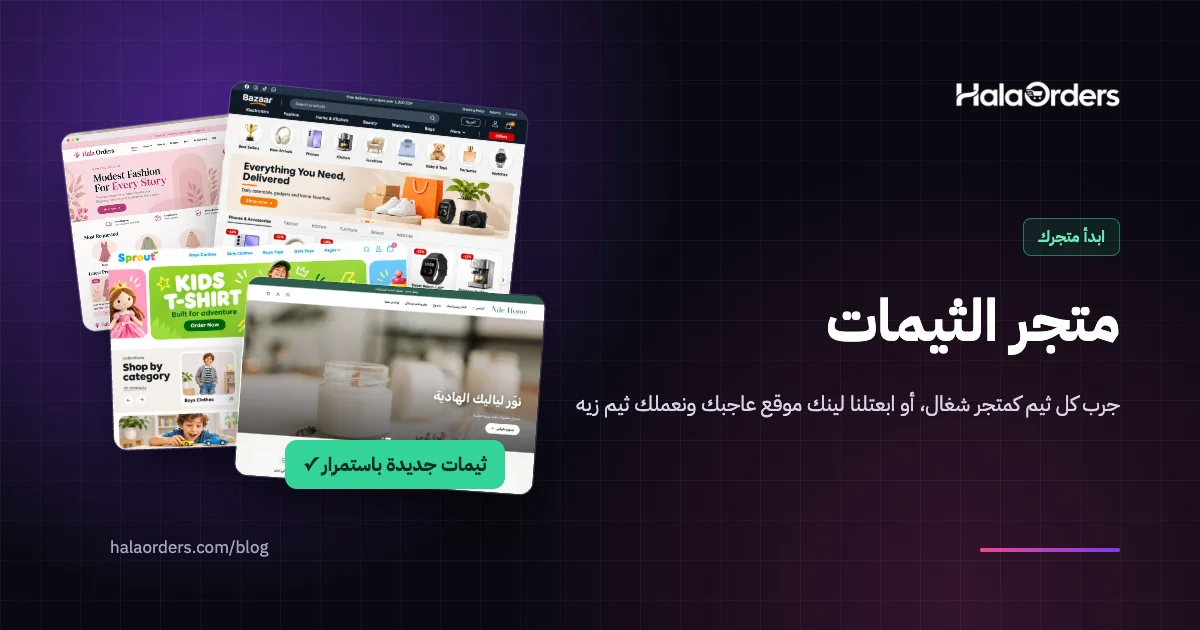
Until today every HalaOrders store ran on one theme. Each store could change its colours, logo and fonts, but the structure was the same: the same home page order, the same product page, the same cart. A store selling abayas and a store selling kitchen tools ended up looking alike.
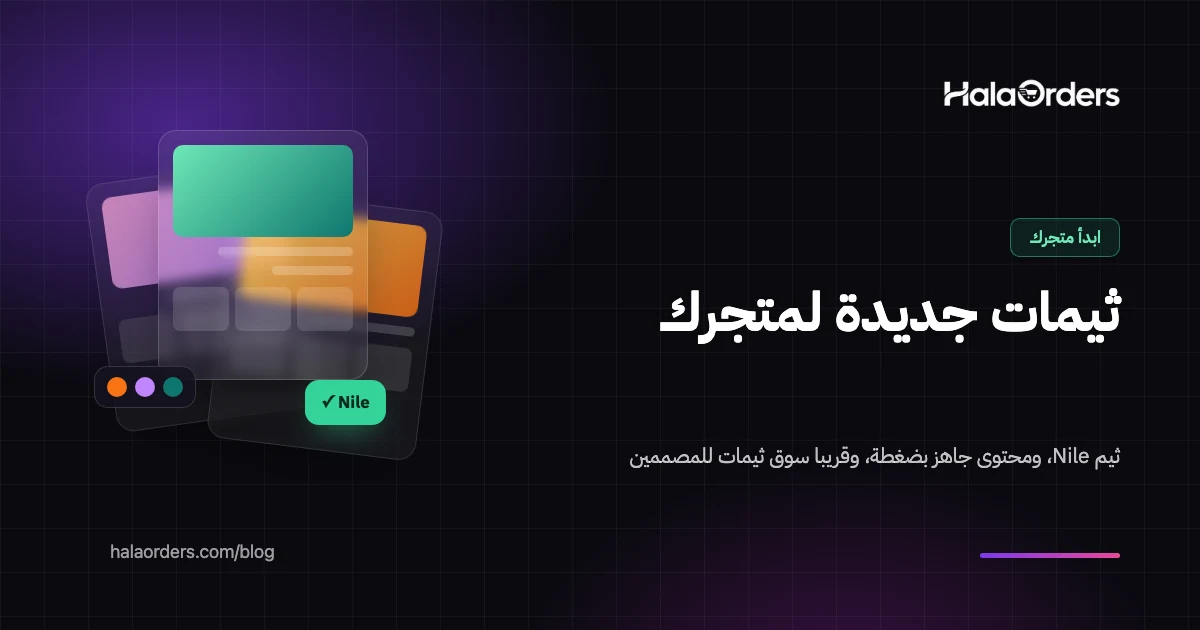
That changes today: we now have a full theme system. You can preview any theme on your store before choosing it, and change your store's look in one click without losing a single product or order. The first new theme is Nile. More importantly, the system is built to accept themes from designers outside the platform, and that is our next step, God willing.
In short: in your dashboard, open Store design ← Themes to see the themes available to your store. Preview any theme on your real store, where only you can see it, then choose "Use design only" to change the look while your settings stay as they are, or "Use with its content" to let the theme add a ready announcement bar, "Why shop with us" and "How it works" sections and an ad banner, after you see every change before and after, with a one-click undo. Your products, orders and checkout are not affected by the theme at all.
Why does your store's look affect sales?
A customer visiting your store for the first time doesn't know you, and the first thing they judge is how it looks. In a well-known Stanford study of 2,684 people rating real websites, 46.1% judged a site's credibility partly by its design and overall look, and for online shops specifically the figure was 46.2%. Roughly half of your customers decide whether to trust you before reading a single product description.
And the right look differs from one store to another. A dress store needs big photos and white space that let the product stand out, a spare parts store needs clear lists and fast search, and a gift store needs warm colours and a sense of occasion. One theme for every store took away each store's chance to show its own character.
What changed today?
- Themes are now packages separate from the platform. Each theme contains only the design, and the platform gives it your store's data: products, categories, prices and settings.
- Bisum, the theme every store runs on, stays as it is. No store changes on its own.
- The first new theme, Nile, is available to every store from today.
- Checkout, account and sign-in pages work inside any theme. Customers keep seeing your theme's header and footer while they complete an order, while the accounts and payment themselves are handled by the platform.
Meet the Nile theme
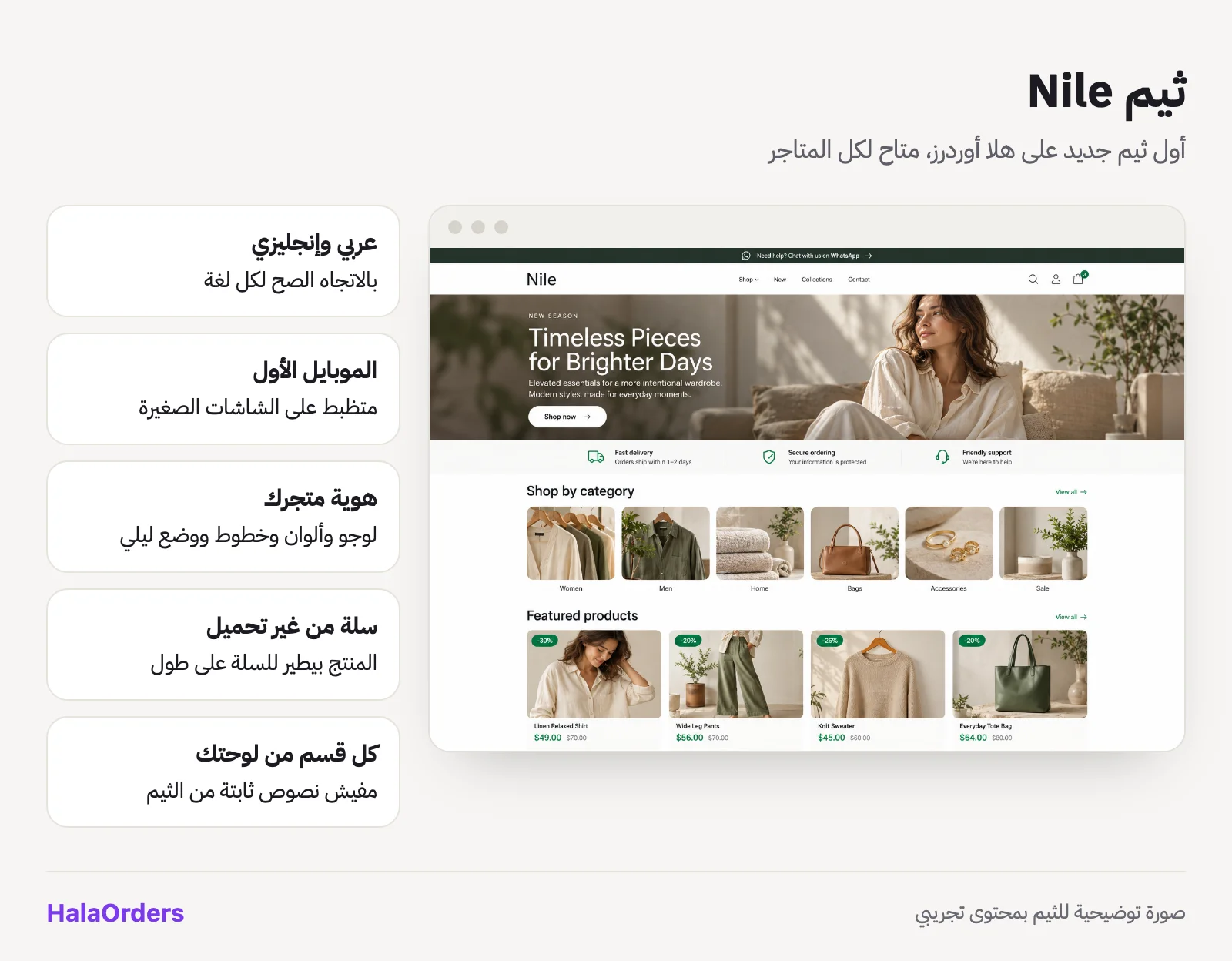
Nile is a clean, fast theme built so the product is what stands out:
- Works in Arabic and English with the right direction for each language, and is designed for phones first.
- Takes your store's identity: the logo, colours, fonts and dark mode come from your settings, so you never edit code.
- A complete product page: photos you can swipe that also move on their own, size and colour pickers, a "people viewed this" counter, "sold recently" with the period (last 24 hours, week or month), available payment methods, an "ask on WhatsApp" button and share buttons.
- Add to cart without reloading the page: the product photo flies into the cart icon, the counter updates, and an "Added to your cart" message links to the cart. On the cart page, a removed product slides away and the total updates right away.
- Every home page section comes from your dashboard: the slider, categories, products, banners, announcement bar and the "Why shop with us" and "How it works" sections. The theme has no fixed text of its own, so your store never says something you didn't write.
How do you change your store's theme?
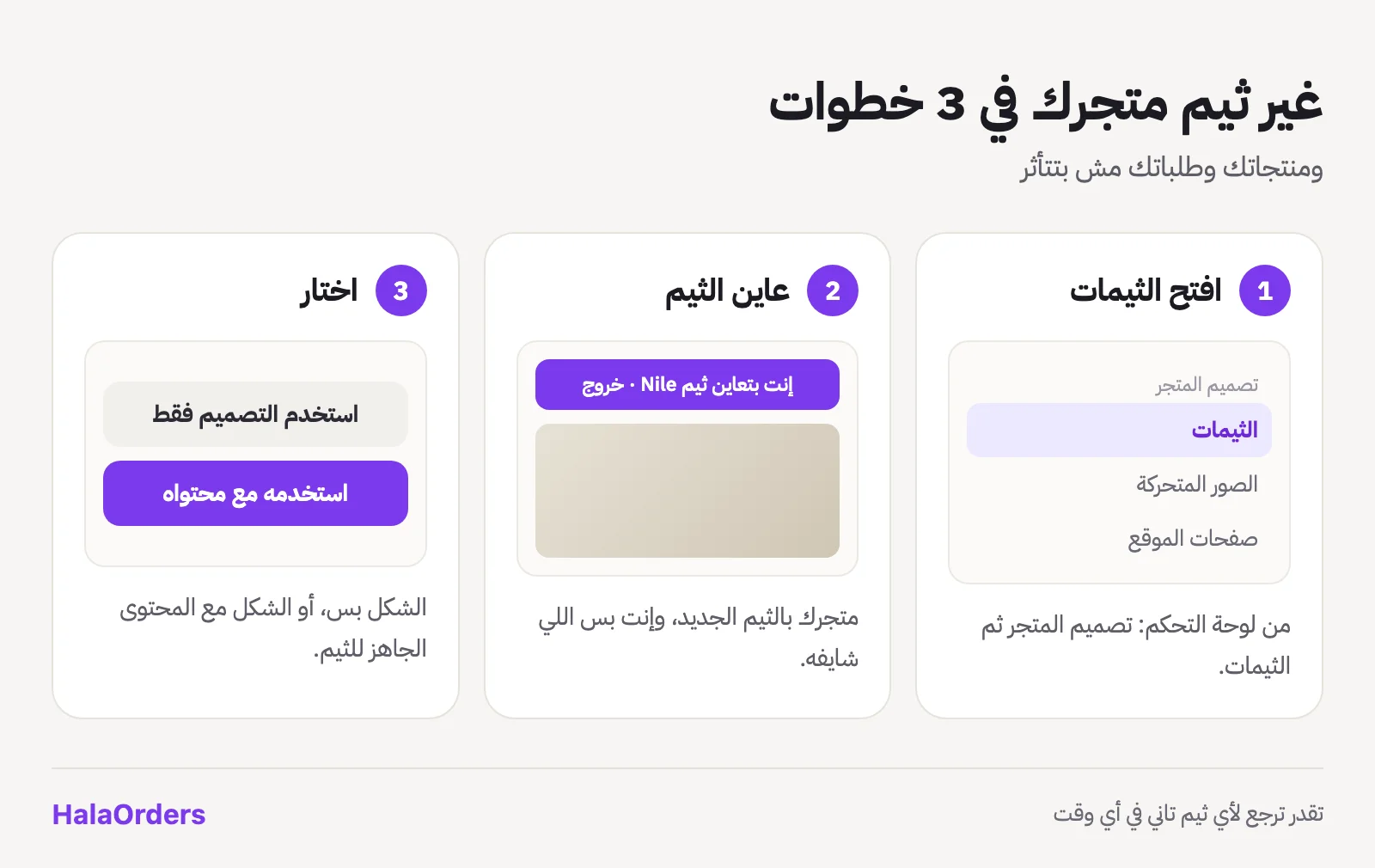
- In your dashboard open Store design ← Themes. Each theme is a card with its picture and version, and your current theme is marked Current theme.
- Press Preview. Your store opens with the new theme in a new tab, and only you can see it; your customers still see your current theme. A bar at the top reminds you that you are previewing, with a button to exit.
- If you like it, go back to the dashboard and choose one of two buttons:
- Use design only: the look changes and your settings and content stay exactly as they are.
- Use with its content: the look changes and the theme adds its suggested content after you review it.
You can go back to any other theme at any time the same way, and your products, categories, orders and customers are not affected.
"Use with its content": a complete-looking store from day one
A new theme looks its best with content that suits it. That's why every theme can come with suggested content for four things:
- The announcement bar at the top of the site: the text, link and colours.
- The "Why shop with us" section: the title, the items with their icons and where it sits on the home page.
- The "How it works" section: the ordering steps with their icons.
- Ad banners with images designed for the theme.
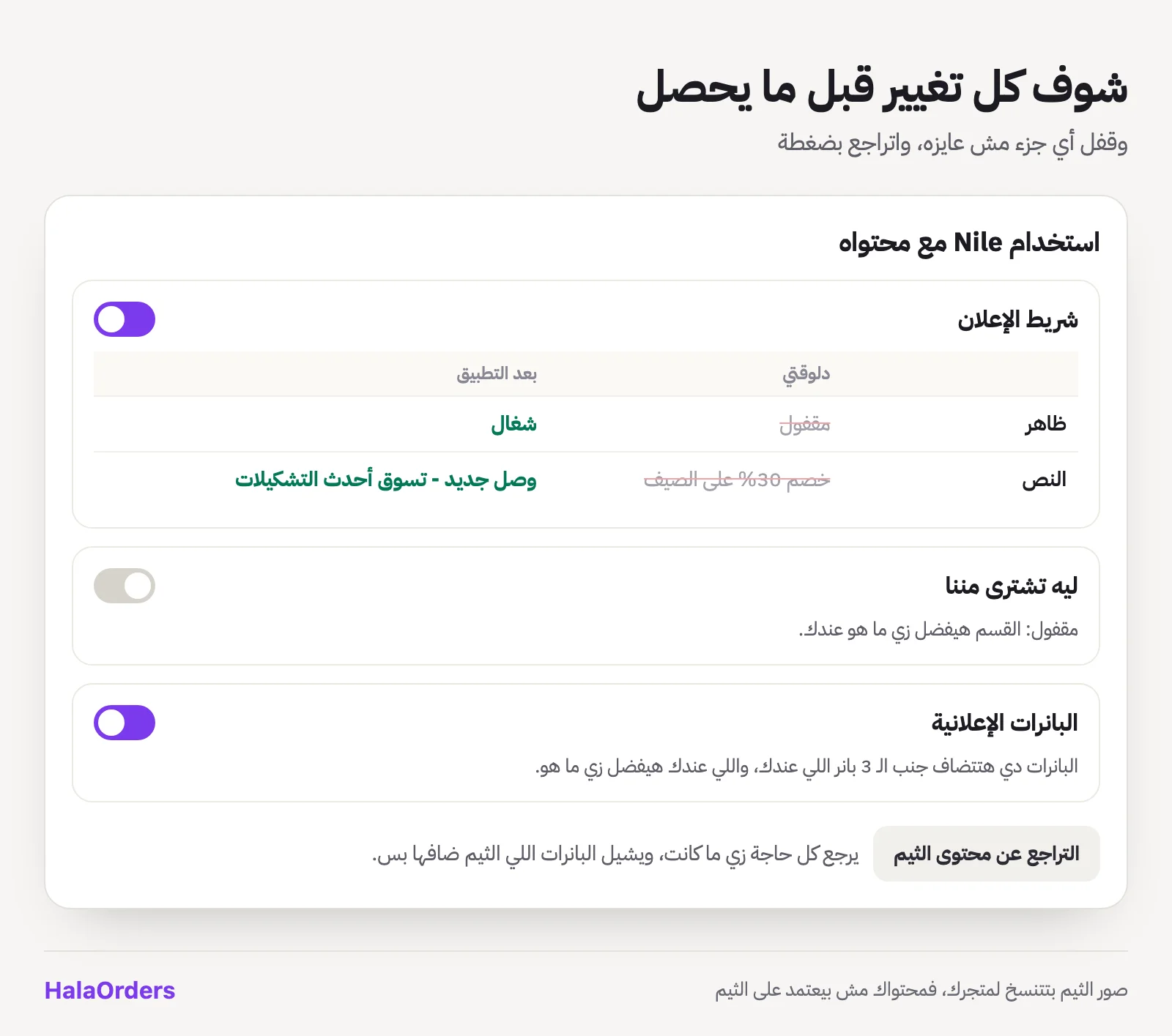
When you press Use with its content, a window opens with a card for each part. Each card has a Now and After applying table: the old value crossed out and the new one next to it, colours shown as swatches and images as thumbnails. Each part has a switch to keep it as it is.
And a few important safeguards so nobody loses anything:
- Banners are added next to your banners and never delete or change any of yours.
- The theme's images are copied into your store, so if the theme is updated or changed, your content stays the same.
- One-click undo: before applying, we save a copy of what you had. From the Themes page press Undo theme content to put everything back and remove only the banners the theme added. The theme itself stays, and the undo covers the last time you applied content.
- Everything is applied at once or not at all. If anything goes wrong halfway, nothing changes.
Why can't a theme harm your store?
When you open the door to themes from many designers, you have to be sure no theme can reach data that isn't its own or break a store. That's why:
- Themes are written in a template language called Liquid, an open-source language used by stores around the world since 2006 and made specifically so the design only displays data and runs no code on the server.
- A theme only sees the data the platform gives it: products, prices, categories and general settings. It has no access to customer orders, customer data or payment accounts.
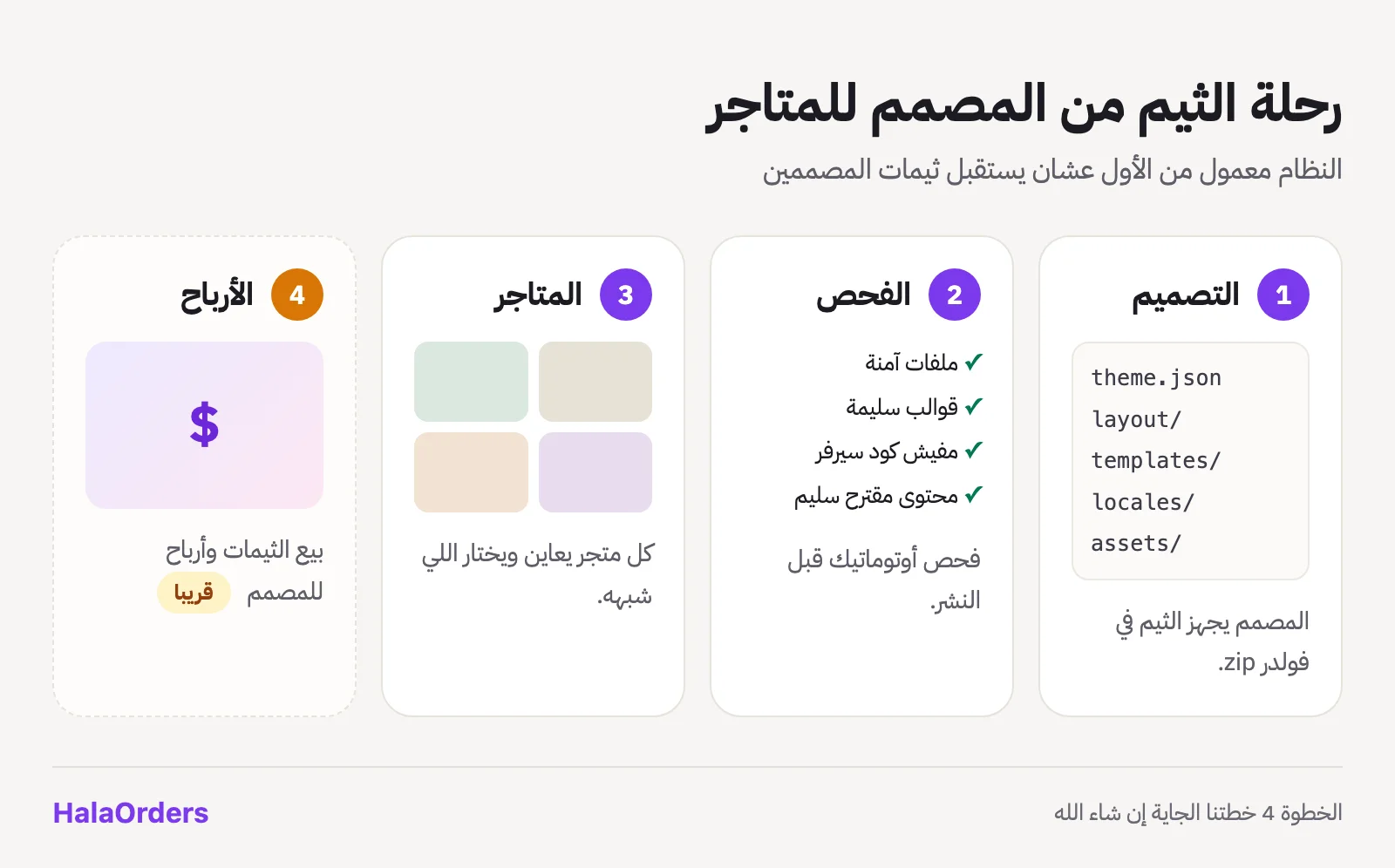
- Every theme is checked automatically before it goes live: each file's type and size, no server code or SVG files, no files outside the package, every template checked for valid syntax, and every piece of suggested content validated (text without HTML, safe links, valid colours, real images).
- If a page in a theme hits an error, your store stays up. That page is shown with the built-in theme at that moment, and the error is logged for us to fix.
- Payment, checkout and accounts are handled by the platform, and the theme only gives them its look.
For designers: how is a theme built?
A theme is a folder you zip, containing:
- theme.json: the theme's name, version and designer.
- layout: the frame around every page (header and footer).
- templates: the theme's pages: home, shop, product, cart, pages, blog and article.
- snippets: repeated pieces, like the product card.
- locales: every text in the theme in Arabic and English.
- assets: CSS, JavaScript, images and fonts.
- config/presets.json: the suggested content applied by "Use with its content", which is optional.
We wrote a complete guide with every piece of data available to a theme and every rule checked on upload, plus a ready AI prompt that asks you about the store (colours, customers, their ages, the products, the feeling you want) and then writes the whole theme. Nile itself was built the same way, and it is the example designers start from.
Our next plan: a theme marketplace where designers earn
Today we upload themes ourselves from the platform admin. But the whole system was built from the start for the next step: opening the door for any theme designer to publish their themes with us and earn from them.
What we are working on, God willing:
- A designer account to upload themes and new versions and follow them.
- Paid and free themes, with the designer getting their share from every store that buys their theme.
- A review before publishing on top of the automatic check, so stores choose from themes that work well and are well made.
We want two things at once: to help more designers earn from something they love doing, and to give every store a large choice of themes to pick the one that fits, instead of every store looking alike.
If you are a designer or developer and want to be among the first to publish themes with us, send us a message from the contact page saying you are interested in themes, and we'll reach out as soon as we open the door.
Frequently asked questions
Will my store's look change on its own?
No. Every store stays on its current theme, and nothing changes until you choose a theme and press "Use".
If I change the theme, will anything happen to my products and orders?
No. A theme only changes the look. Products, categories, orders, customers and settings all stay as they are, and you can go back to your old theme at any time.
Will customers see the theme while I preview it?
No. The preview works only for you while you are signed in to the dashboard, and your customers keep seeing your current theme until you choose.
Will "Use with its content" delete my banners or texts?
Not your banners: the theme adds its banners next to yours. The announcement bar and sections change to the new content, but you see every change before it happens, you can switch off any part, and you can undo the last application in one click.
Do themes cost money?
The Bisum and Nile themes are available to every store at no extra cost. When we open the theme marketplace to designers, there will be both free and paid themes.
I'm a designer. Can I upload a theme now?
Uploading is only available from the platform admin for now. Tell us you're interested from the contact page, and we'll send you the complete guide and reach out as soon as designer accounts open.
Sources
- Stanford Persuasive Technology Lab, Study: For Site Cred, Looks Matter: the share of people who judged a site's credibility by its design, and the figure for online shops.
- Liquid template language: the open-source template language themes are written in.